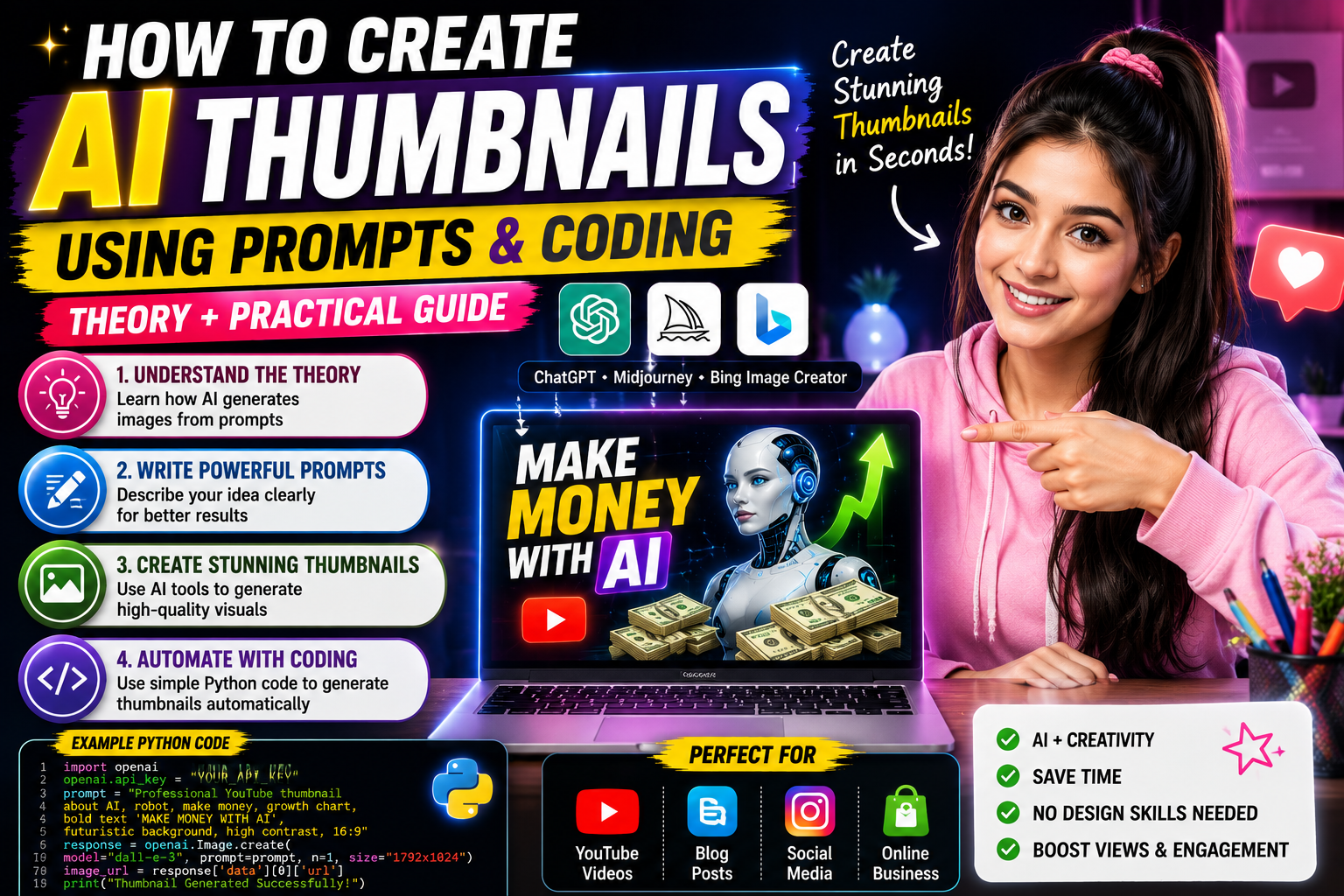
In today’s digital world, thumbnails play a crucial role in attracting viewers to videos, blog posts, and social media content. A thumbnail is often the first thing people notice before deciding whether to click on your content. According to digital marketing studies, an eye-catching thumbnail can significantly increase click-through rates and improve audience engagement.
With the rise of Artificial Intelligence (AI), creating professional thumbnails has become easier than ever. You no longer need advanced graphic design skills or expensive software. AI image-generation tools can create stunning thumbnails within seconds using simple text prompts.
In this article, you will learn the theory behind AI thumbnail creation, how prompts work, and how simple coding can help automate the thumbnail generation process.
What Is an AI Thumbnail?
An AI thumbnail is an image generated or enhanced using Artificial Intelligence. Instead of manually designing graphics, users provide instructions called prompts, and the AI creates images based on those instructions.
AI thumbnail generators can create:
- YouTube thumbnails
- Blog featured images
- Social media graphics
- Gaming thumbnails
- Educational thumbnails
- Business marketing visuals
These tools analyze your prompt and generate visuals that match your description.
The Theory Behind AI Image Generation
AI image generation is based on Machine Learning and Deep Learning technologies.
The AI model is trained on millions of images and learns patterns such as:
- Colors
- Shapes
- Objects
- Text styles
- Human faces
- Design layouts
When a user enters a prompt, the AI predicts what the image should look like based on the patterns it learned during training.
This process is called Text-to-Image Generation.
The quality of the final image depends largely on the quality of the prompt.
What Is a Prompt?
A prompt is a text instruction that tells the AI what image to create.
Think of a prompt as a conversation between you and the AI.
Example of a Weak Prompt
Make a thumbnail about AI.
The AI receives very little information and may produce generic results.
Example of a Strong Prompt
Create a professional YouTube thumbnail about making money with AI in 2026. Show a futuristic AI robot, stacks of cash, glowing technology background, upward growth chart, excited young entrepreneur, bold text saying "MAKE MONEY WITH AI", cinematic lighting, ultra realistic, high contrast, 16:9 ratio.
This detailed prompt gives the AI clear instructions and produces much better results.
Elements of a Good Thumbnail Prompt
A strong thumbnail prompt should include:
Main Topic
Clearly state the subject.
Example:
How to Make Money with AI
Important Objects
Mention objects that should appear.
Example:
Laptop, AI robot, money, growth chart
Style
Describe the visual style.
Example:
Modern, professional, cinematic
Colors
Mention color preferences.
Example:
Blue neon background with bright yellow text
Text
Specify the headline.
Example:
MAKE MONEY WITH AI
Aspect Ratio
For YouTube:
16:9
AI Thumbnail Prompt Examples
YouTube AI Tutorial
Professional YouTube thumbnail about Google Gemini AI tutorial, futuristic AI assistant, modern laptop, glowing blue technology background, bold text "GOOGLE GEMINI GUIDE", ultra realistic, high contrast, cinematic lighting, 16:9 aspect ratio.
Student AI Tools Thumbnail
Educational YouTube thumbnail showing student using AI tools for studying, futuristic classroom, laptop screen with AI assistant, books and graduation cap, bold text "BEST AI TOOLS FOR STUDENTS", bright colors, professional design, 16:9.
Blogging Thumbnail
Professional blogging thumbnail, laptop with website dashboard, AI writing assistant, SEO charts, digital marketing elements, bold text "AI BLOGGING SECRETS", modern design, ultra realistic.
Using AI with Coding
Many developers automate thumbnail creation using code.
Coding allows users to generate multiple thumbnails quickly without manually entering prompts each time.
The theory behind automation is simple:
- Write the prompt.
- Send the prompt to an AI model.
- Receive the generated image.
- Save the image automatically.
Example Prompt in Code
prompt = """
Professional YouTube thumbnail about AI income,
futuristic robot, stacks of cash, growth chart,
bold text MAKE MONEY WITH AI,
ultra realistic, cinematic lighting
"""
This prompt can be sent to an AI image-generation system.
Benefits of AI Thumbnail Creation
Saves Time
AI can generate thumbnails in seconds.
Cost Effective
No need to hire expensive designers.
Easy for Beginners
No graphic design experience required.
Unlimited Creativity
Generate multiple designs instantly.
Better Productivity
Content creators can focus on creating videos instead of spending hours designing thumbnails.
Common Mistakes to Avoid
Many beginners make these mistakes:
- Using very short prompts.
- Forgetting to mention text.
- Not specifying aspect ratio.
- Overloading prompts with unnecessary details.
- Ignoring color combinations.
A clear and structured prompt produces better results.
Future of AI Thumbnail Design
As AI technology continues to improve, thumbnail generation will become even more advanced. Future systems may automatically analyze video content and create optimized thumbnails without any manual input.
Content creators who learn prompt writing today will have a major advantage in the future digital economy.
Conclusion
AI thumbnail generation is changing the way creators design visual content. By understanding the theory behind image generation and learning how to write effective prompts, anyone can create professional-quality thumbnails without advanced design skills.
The secret to great AI thumbnails is simple: provide clear instructions, describe the visual elements you want, and use detailed prompts. Combined with automation and coding, AI can become a powerful tool for content creators, bloggers, marketers, and YouTubers.
Thank You
Thank you for reading this guide on creating AI thumbnails using prompts and coding. We hope this article helps you understand both the theory and practical techniques behind AI-powered design. Keep experimenting with prompts, continue learning new AI tools, and use technology to create amazing content for your audience.